VDO Cyclecomputing Z2 PC-LINK Provozní pokyny
Procházejte online nebo si stáhněte Provozní pokyny pro Příslušenství pro jízdní kola VDO Cyclecomputing Z2 PC-LINK. VDO Cyclecomputing Z2 PC-LINK Operating instructions Uživatelská příručka
- Strana / 60
- Tabulka s obsahem
- KNIHY

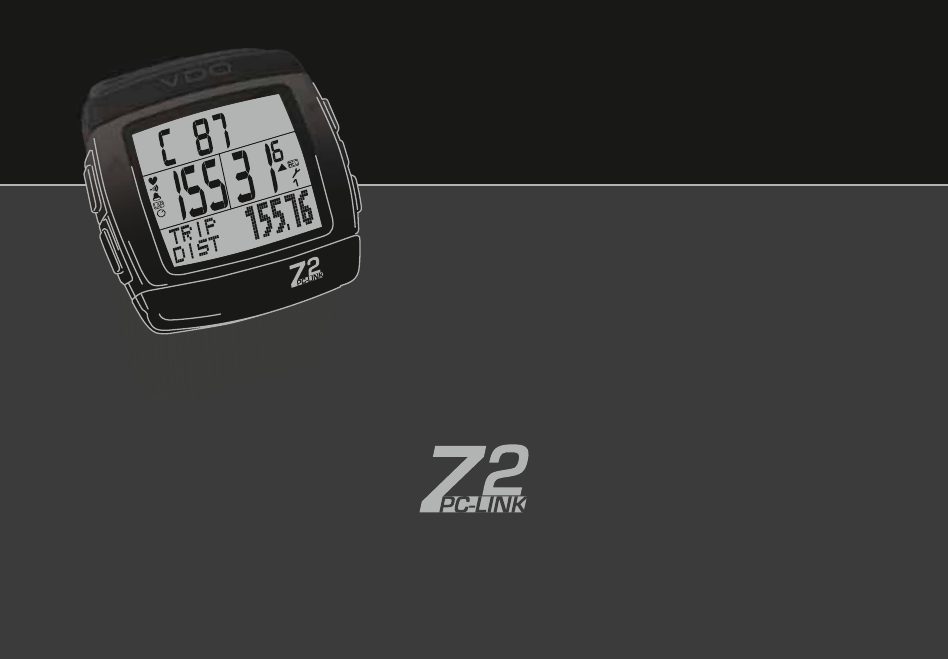
- VDO SERIES-Z 1
- My Settings 2
- Picturebook 10
- P09 P09-2 10
- WS in mm / inch 11
- INSTRUCTION MANUAL 14
- Not in walk mode ! 17
- RECOVERY 29
- PULSE SIGNAL 39
- DATA RECORD 43
- - Check the magnet position 45
- ADDENDUM TO USER MANUAL 58
- CYCLECOMPUTING 60
Shrnutí obsahu
INSTRUCTION MANUAL / BEDIENUNGSANLEITUNG / MANUEL D´INSTALLATION ET D´UTILISATION / HANDLEIDING / MANUALE D´INSTALLAZIONE E FUNZIONAMENTOINST
PicturebookOPENCLOSEP09 P09-2
PicturebookWS in mm / inch 1x Tire size WS in mm KMH WS in inch MPH47-305 16x1,75 1272 50,147-406 20x1,75 1590 62,634-540 24x
PicturebookP11ONLY FOR MODELSZ2 PC-LINKZ3 PC-LINK
4ENCongratulationsWith your selection of a VDO Z2 PC-Link you have opted for high-quality sports information computer. In order to fully benefit from t
5INSTRUCTION MANUALTABLE OF CONTENTS1.1. General1.2. Important instructions for the digital wireless system1.3. Control system - operation1.3.
6EN8. RESET MODE8.1. Resetting trip data8.2. Reset total ride time8.3. Resetting the total distance meter8.4. Resetting the Navigator8.5. Re
7INSTRUCTION MANUAL1.1. GENERAL1.2 IMPORTANT INSTRUCTIONS FOR THE DIGITAL WIRELESS SYSTEM Your VDO Z2 PC-Link works entirely without cable; it works w
8ENK1.3.1. OPERATION MODE - use this mode to display all informationButton assignment is shown on the housing.OPERATION MODEZ2 PC-LINKTRIP DISTRIDE TI
9INSTRUCTION MANUAL 1.3.2. SETTING MODE - use this mode to make all settings. The assignment of buttons is on the buttons To go to setting mode: P
10EN1.4. THE DISPLAY The display of your VDO computer is comprised of three large areas. The following information is displayed in operation mode:3. F
My Settings✍AGE:WEIGHT:LIMIT 1: LOW: HIGH:LIMIT 2: LOW: HIGH:LIMIT 3: LOW: HIGH:RECOVERY PULSE:RECOVERY TIME:BIKE 1 WEIGHT:BIKE 2 WEIGHT:BIKE 2 WHEELS
11INSTRUCTION MANUAL1.5. EXTENSION OPTIONS & ACCESSORIESExtension option: You have the possibility of extending your computer with the cadence ext
12EN2, and the altitude difference walked. Reprogram this information after inserting the new batteries.2.1.2 BATTERY INSTALLATION PULSE-CHEST BELT &g
13INSTRUCTION MANUAL2.3. PUTTING ON THE PULSE-CHEST BELT >>> P08step 1 First connect the one side of the pulse transmitter with the elasti
14ENensure that the electrodes of the pulse transmitter belt are wet, or that the distance between the magnets and the speed/cadence transmitter is no
15INSTRUCTION MANUALIMPORTANT NOTE / Re-open of transmitter search for the receive channel after interruption If no signal is received from an already
16ENetc. will be wrong. To use your VDO computer on two different bikes e.g. mountain bike and road bike you can enter two different wheel sizes. Meas
17INSTRUCTION MANUALWheel size set doneDisplay of the actual wheel size in the center bar of the display, right bottom (1 or 2)5.3. SETTING TOTAL KILO
18ENif you know it from earlier measurements (e.g. at the doctor‘s office or from a performance test). If you do not know it then you can select automa
19INSTRUCTION MANUAL7.PULSE FUNCTION SETTINGSThe pulse functions of your VDO computer are based on the specifica-tion of three training programs each w
20EN7.3. SELECT TRAINING PROGRAM3 sec. ç Setting mode LANGUAGE SELECT ∂ ƒ PULSE LIMIT SETTINGS ‚ PULSE LIMIT ?SET? ∂ PULSE LIMIT ?SELECT? ‚
Picturebook* Watch out: old batteries require special disposal Please read instructions for end-off-life disposal treatmentP018x*CD-ROMPC-SportONLY F
21INSTRUCTION MANUAL8.1 TRIP DATAATTENTION: When resetting the trip data the following day trip data will be deleted:- Daily distance- Trip ride time-
22ENstep 1 Use a sharp pencilstep 2 Press the AC button on the back of the computer for 2 secReset to factory settings done.9. OPERATION MODE SELEC
23INSTRUCTION MANUALBICYCLE FUNCTIONS (button ç )With the exception of the CLOCK function NO bicycle functions are available in walk mode. The ç b
24ENBICYCLE FUNCTIONS (button √ )IMPORTANT NOTE: NO bicycle functions except the CLOCK function are available in walk mode. The √ button in walk m
25INSTRUCTION MANUAL10.3.13. ¬ £ STOPWATCH = manual stopwatchPrerequisite: Only after selecting stopwatch, chapter 12.1.Display ≈ STOPWATCHStart
26EN10.3.18. ¬ £ MAX PULSE = maximum pulse of the actual timing periodPrerequisite: Capture only with running or stopped and not deleted stopwatch/ti
27INSTRUCTION MANUAL11. RIDING WITH THE NAVIGATORWith the VDO Navigator you can complete trips according to Roadbooks (e.g. Moser Guide). Roadbooks ar
28ENTIMER 1: You can program a time e.g. for interval training. TIMER 1 counts from zero forward. At the end of TIMER 1 there is a single beep.Timer 1
29INSTRUCTION MANUAL ‚ TIMER ?SELECT? ∂ TIMER ?SET? ‚ TIMER 1 ?SET? ∂ TIMER 2 ?SET?Select ‚ TIMER ?SET? ‚ SET HOUR ?CONTINUE? ∂ ƒ S
30EN12.5. LAP-TIMERThe LAP timer must first be started with the ∫ button. To save the LAP data press buttons ≈ + ¥ at the same time on the desired
PicturebookPicturebookOPEN CLOSEOPEN CLOSE!OPEN CLOSE!P02
31INSTRUCTION MANUALTIP: At the end of the training unit measure the recovery time or the recovery pulse to determine your training status. See 7.4. R
32EN13.3. TRAINING WITH THE COUNTDOWN TIMER:The countdown timer is a programmable timer with reverse counting. This is particularly well-suited for us
33INSTRUCTION MANUALdisplay in recall mode after concluding the measurement.2. If the lap timer is running the residence period of the pulse frequency
34EN14. THE DATA RECORDING FUNCTION & TRANSFER OF DATA TO THE PCYour VDO computer is designed for recording data and transferring data to your PC.
35INSTRUCTION MANUAL TIP: Leave your VDO computer on the handlebar holder so that sleep mode is activated and recording is interrupted automatically a
36EN15. SLEEP MODEYour VDO computer has a two-stage sleep mode. Sleep mode is activa-ted automatically if the computer no longer receives data.Phase 1
37INSTRUCTION MANUALNo speed display - Check the magnet position (distance between magnet and transmitter, position of the magnet to the transmitter
38ENNo pulse percentage of the personal maximum pulsePersonal data has not been set, timer has not been startedNo data relative to training times is i
39INSTRUCTION MANUAL17. GUARANTEE CONDITIONSVDO Cycle Parts offers a 5-year guarantee on your VDO computer, starting from date of purchase. The guaran
269INSTALACION Y OPERACIÓN MANUAL18. ESPECIFICACIONES TECNICASCiclocomputador: Aproximadamente 49,6 x 46,6 x 16,5mm, peso: Aproximadamente 45gSoporte
PicturebookOPENCLOSE!P03ONLY FOR MODELSZ2/Z2 PC-LINKZ3/Z3 PC-LINK
#56'.'%64+%#..'%6410+%37+2/'06 22.+%#$.'+06*'7412'#00+10#0&am
24'<+&774+2418'0+0&&+0#2#4#674i'.'%64+%ih+'.'%6410+%i #4%#,&a
4+=76+'.'664+%+'&'.'66410+%+ 22.+%#$+.'+0+2#'5+&'.."
% ', '.'-64+.+56',#'.'-64110+.+56'5'#&/'6',FF6/'&
#11# 0-01.+'616#5'.'-64+5-c570'.'-6410+5-c5+'4b%'5 <+<564c&c,7/#8#+6
)('5N&71&'37+2#/'0615.K%64+%15'.'%64Q0+%15 56#/#4%##24'5'06
# #1&2#&0#'.'-64+u0#+0'.'-64105-#124'/# <0#-#0#+<&'.-7#.+
DEU-KonformitätserklärungWir, CYCLE PARTS GmbH, Grosse Ahlmuehle 33, D-76865 Rohrbach erklären, dass die VDO Fahrradcompu-ter mit Funkübertragung VDO
6602366023ADDENDUM TO USER MANUALUSACDNNOTICE: This equipment has been tested and found to comply with the limits for a Class B digital device, pursua
66046604ADDENDUM TO USER MANUALUSACDNNOTICE: This equipment has been tested and found to comply with the limits for a Class B digital device, pursuant
Picturebook90°P04/05
FOR RUNNING / HIKINGVDO SERIES-Zwww.vdocyclecomputing.comCYCLECOMPUTING
PicturebookP06UNLOCKLOCK1.LOCK2.CLICK2.UNLOCK
PicturebookP071-5 mm
PicturebookP08ONLY FOR MODELSZ2/Z2 PC-LINKZ3/Z3 PC-LINK
Další dokumenty pro Příslušenství pro jízdní kola VDO Cyclecomputing Z2 PC-LINK
Související produkty a manuály pro Příslušenství pro jízdní kola VDO Cyclecomputing Z2 PC-LINK
 (65 stránky)
 (62 stránky)
 (48 stránky)
© 2020, manymanuals.cz. Všechna práva vyhrazena. | 0.024 s |
 Manymanuals.com
 Manymanuals.de
 Manymanuals.fr
 Manymanuals.it
 Manymanuals.pl
 Manymanuals.cz
 Manymanuals.es
 Manymanuals-pt.com
Komentáře k této Příručce